
主站模板头部锁定
浏览内容页面出现这种变形的情况。
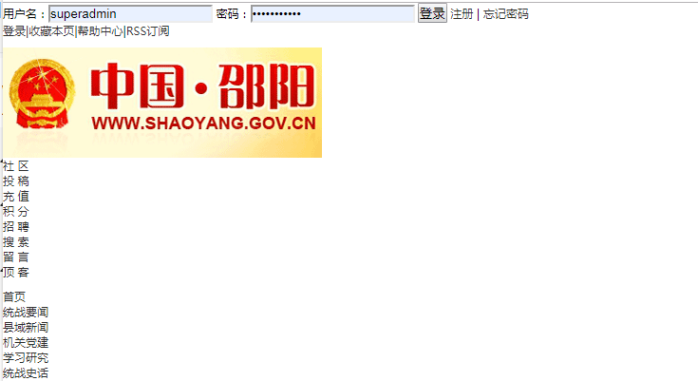
处理方法如下:
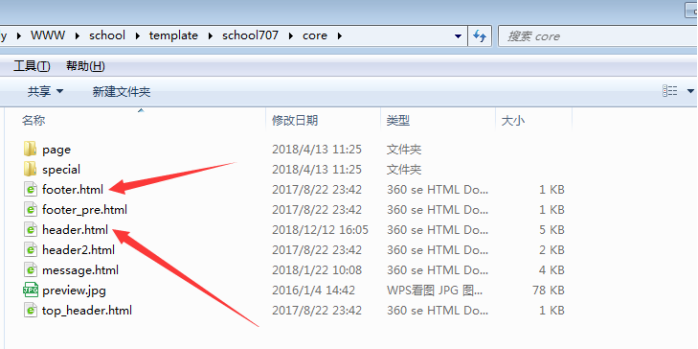
一、例如我们主站模板现在选择的是school707,复制template/school707/core/目录下的header.html和footer.html,替换/template/default/core目录下的header.html和footer.html。
二、打开主站模板template/school707/cms/item/article/view.html,在编辑修改;
1、<!--{template $this_system header}-->改为:<!--{template $core header school707}-->
2、<!--{template $this_system footer}-->改为:<!--{template $core footer school707}-->
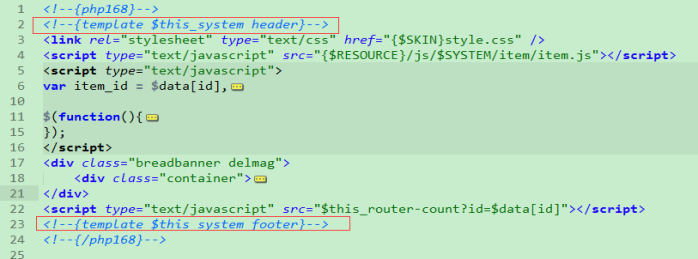
修改前
模板锁定方式:<!--{template $core header school707}--> school707就是模板文件夹名称。
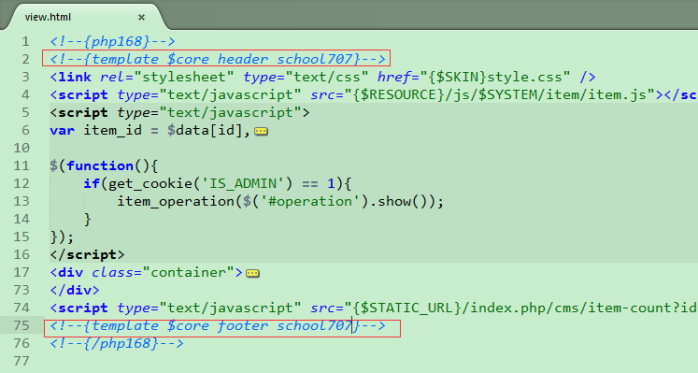
修改后
三、去后台更新模板缓存。最后在重新静态下内容。
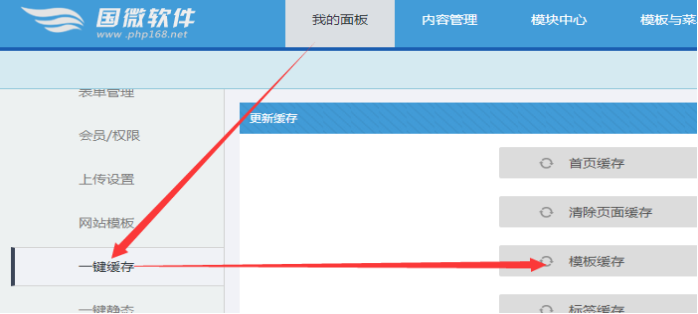
然后重新静态所有内容和栏目,还有首页即可了

Copyright©www.php168.net all rights reserved 粤ICP备11009525号-1Powered by 国微CMS Code 2003-2025 PHP168 S 广州国微软件科技有限公司
